Section 2: Strategizing how to execute feedback
Lesson two: interpreting 360 feedback results. Lesson three: conducting feedback debrief sessions.
Part of How to debrief 360 results and drive meaningful change, a six-section guide. Back to the overview
Part one: interpreting 360 feedback results
360 reporting overview
The 360 PDF Feedback Report provides summary information on the competencies and detailed information on the behavioral indicators that define them. The report helps answer five basic questions about the participant's capabilities:
- What are the major strengths they can build on?
- What are their most important growth opportunities?
- What are the differences between how they see themselves and how others see them, meaning hidden strengths and blind spots?
- How aligned are the different rater groups in their perceptions?
- How do they perform compared to their colleagues, if an internal benchmark is included?
Steps in interpreting feedback results. Review and follow the instructions and key questions in the 360 PDF Feedback Report for a more detailed analysis.
Step 1: review the introduction pages
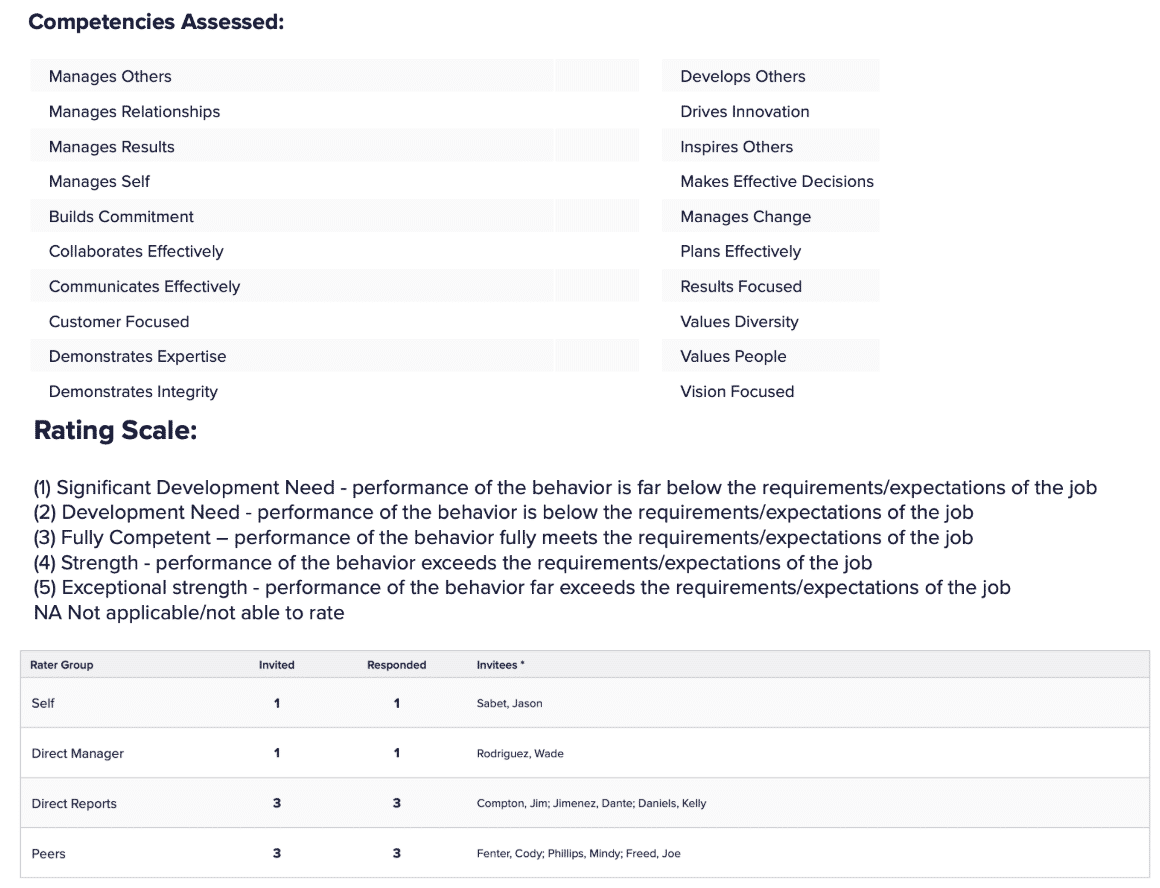
This covers the competencies being assessed, the rating scale, and the respondent summary, which shows how comprehensive the feedback is.
Example
Step 2: review the summary and detailed competency results
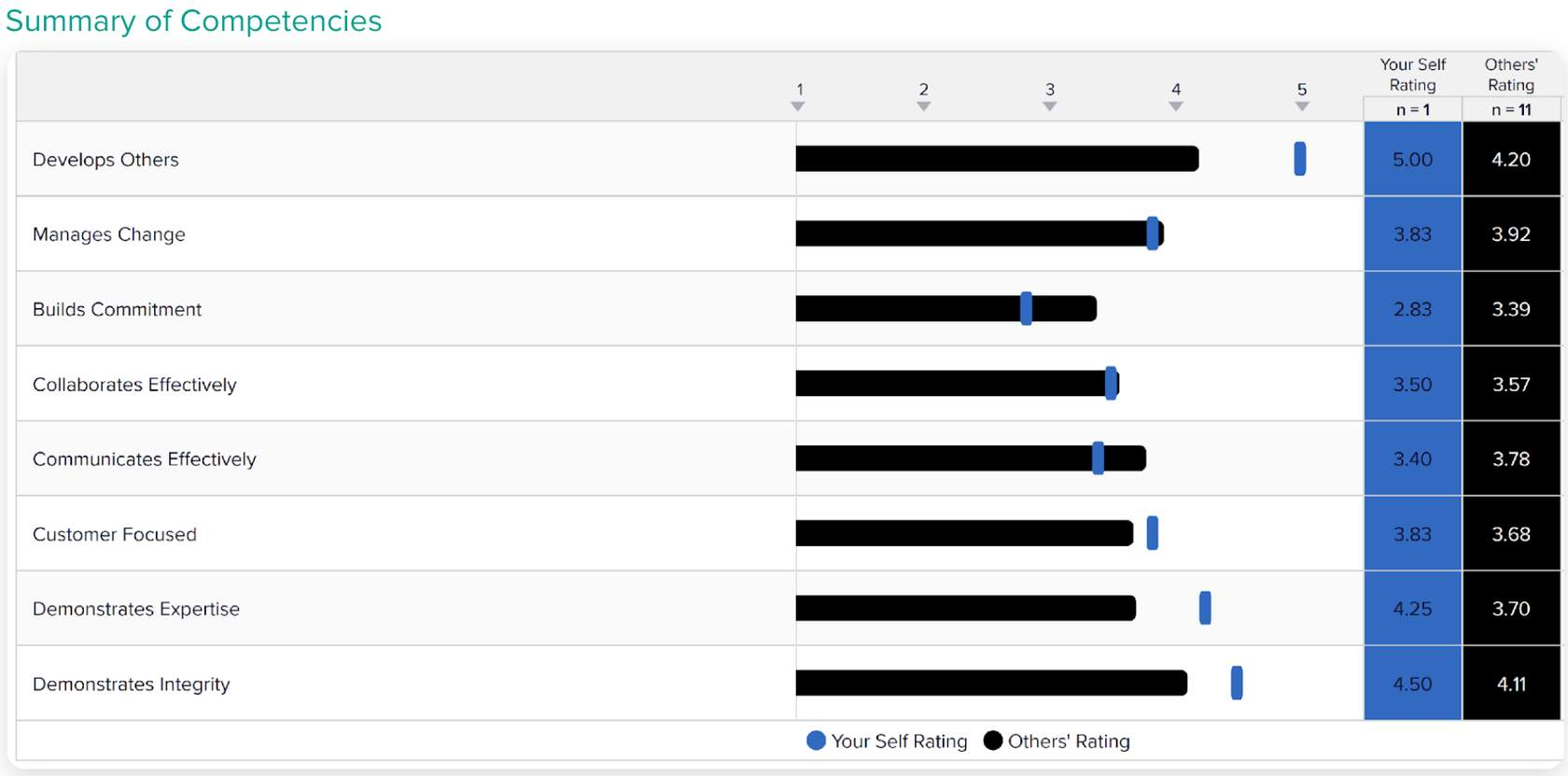
This helps you gain a broad understanding of the participant's strengths and development needs. Examine the overall competency scores and start forming ideas on the basic questions listed above.
Example
Step 3: review the item results
This lets you dig deeper into the data. A few ways to look at it:
Examine what is driving overall scores for the highest and lowest rated competencies.
Examples
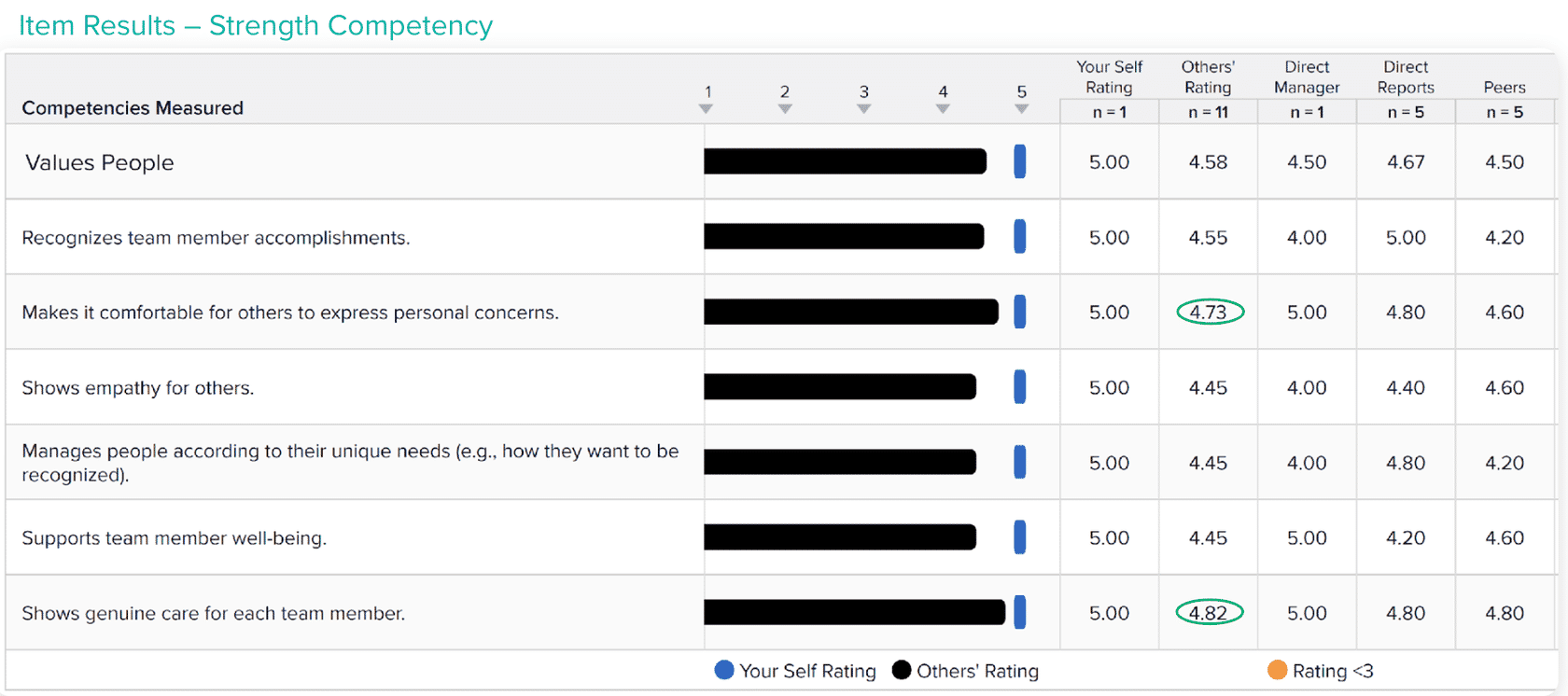 For competencies where ratings are relatively high, examine the specific items and behaviors that drive the higher ratings. Review the comments section in the report to see how they provide context and reasons for high ratings.
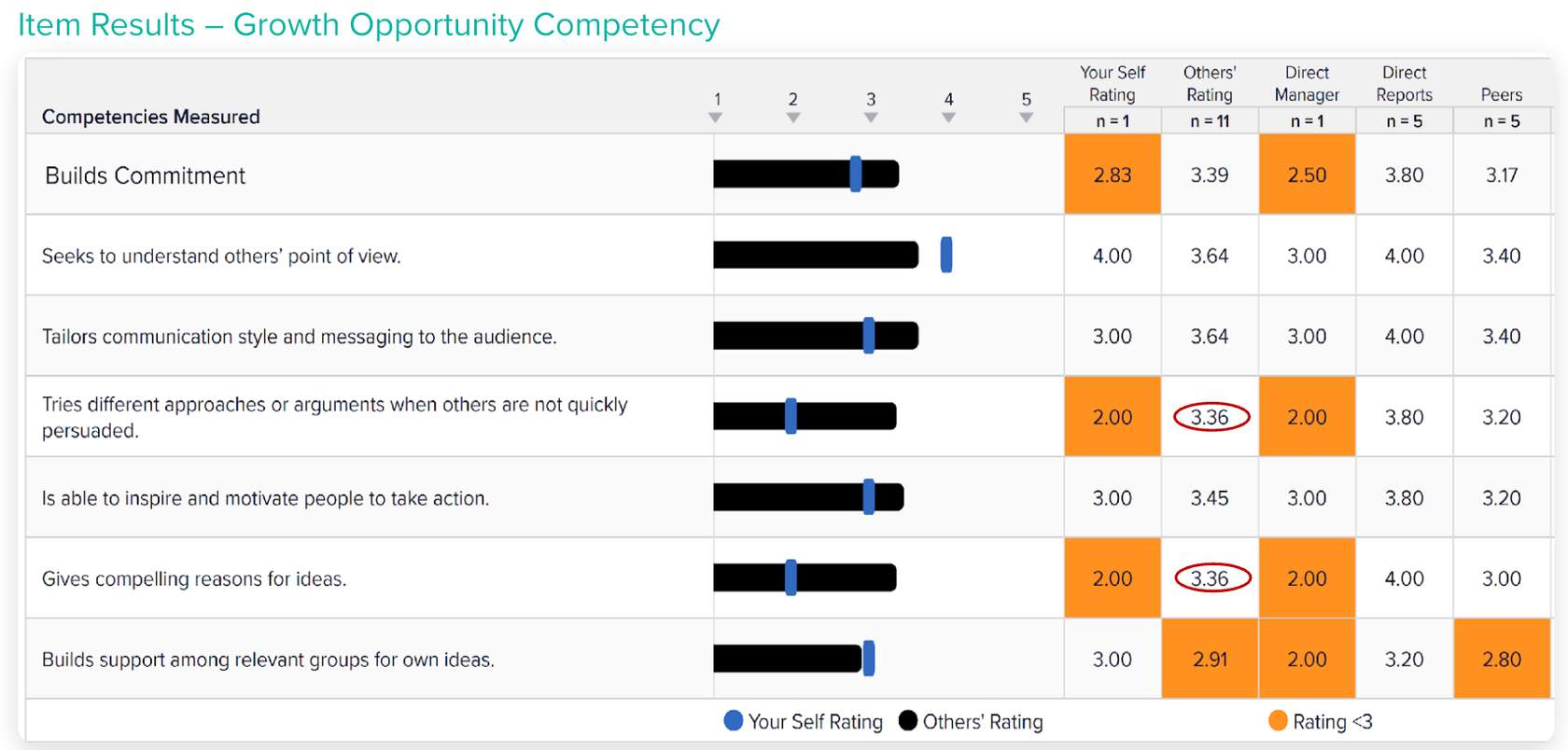
For competencies where ratings are relatively low, examine the specific items and behaviors that drive the lower ratings. Review the comments section in the report to see how they provide context and reasons for low ratings.
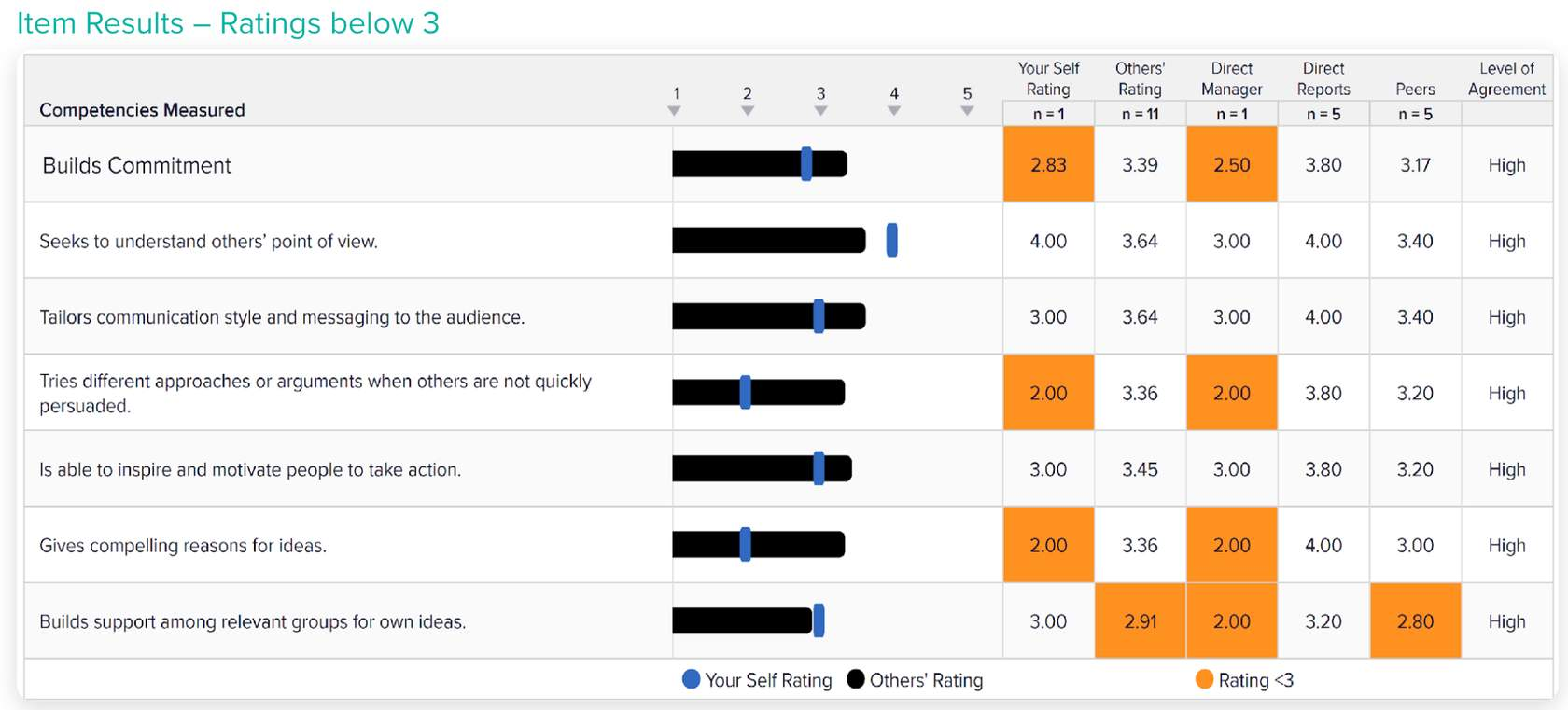
Examine any significantly low ratings from any group. Look for items rated below the scale midpoint, for example less than 3 on a 5-point scale, and prioritize these items for discussion.
PRO TIP
Examine agreement between different rater groups
Look for disparities in ratings among sources. Think about the different set of behaviors each rating group is exposed to. Peers may have greater insight into certain behaviors, such as working collaboratively, than managers and direct reports, and the reverse is also true. Participants may also behave differently when interacting with different rater groups.
Step 4: review hidden strengths and blind spots
This helps you assess how aware the participant is of the way they are perceived.
Examples
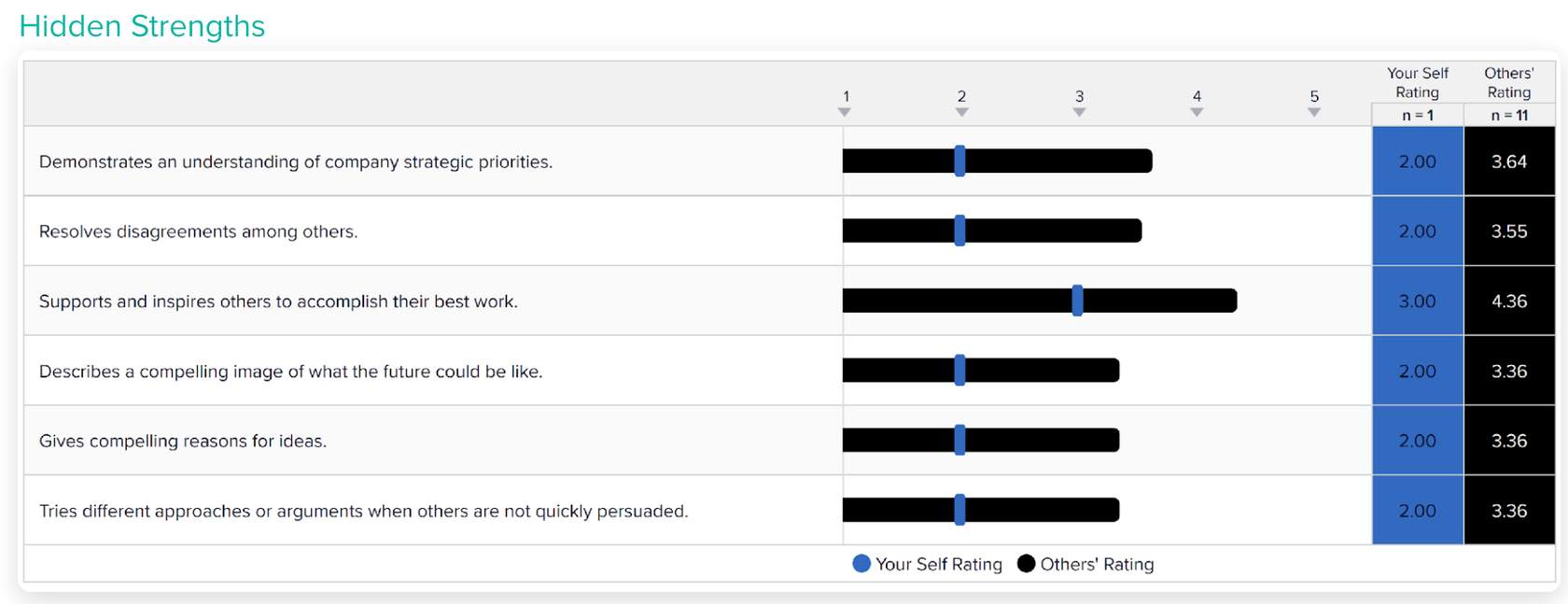
Examine significant gaps between self-ratings and the average ratings from others. Look at both positive and negative gaps. This is an example of a positive gap, or hidden strength.
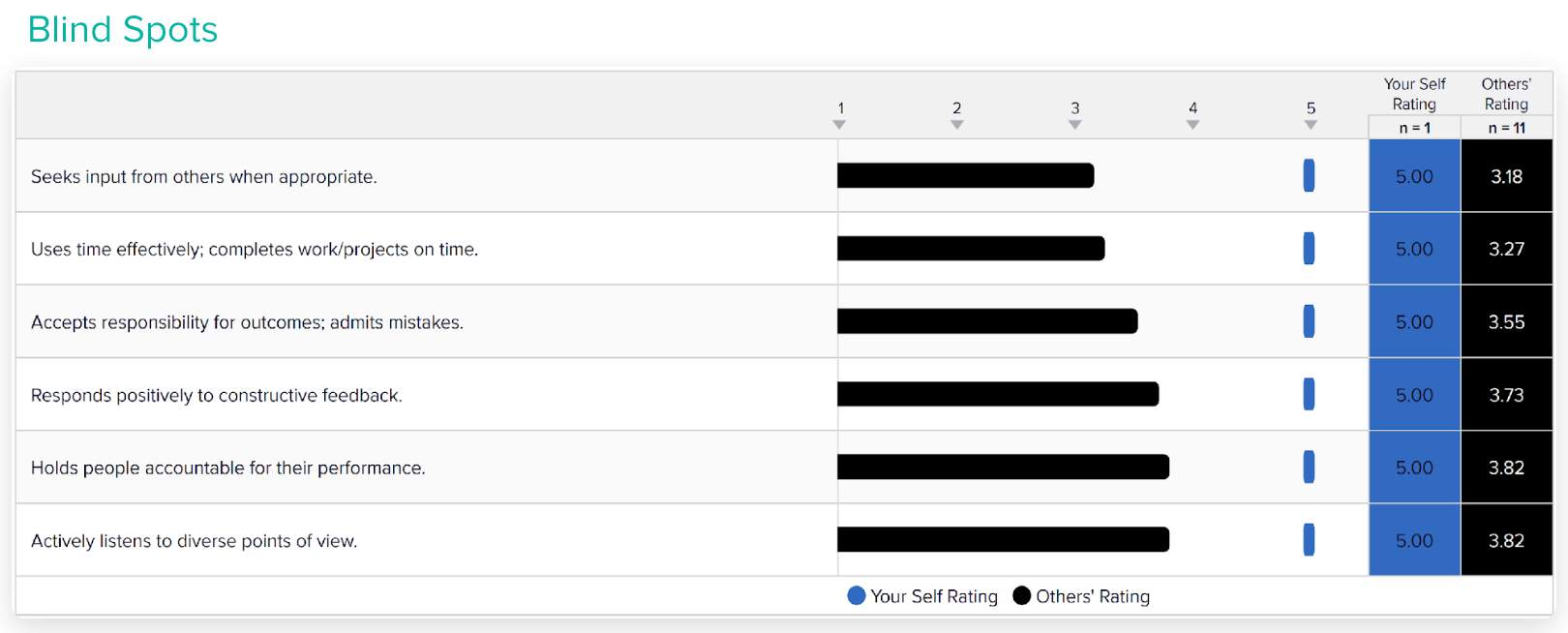
Examine significant gaps between self-ratings and the average ratings from others. Look at both positive and negative gaps. This is an example of a negative gap, or blind spot.
Step 5: review top strengths and top growth opportunities
This shows the highest and lowest rated items so you can see where the participant excels and where they have growth opportunities.
Examples
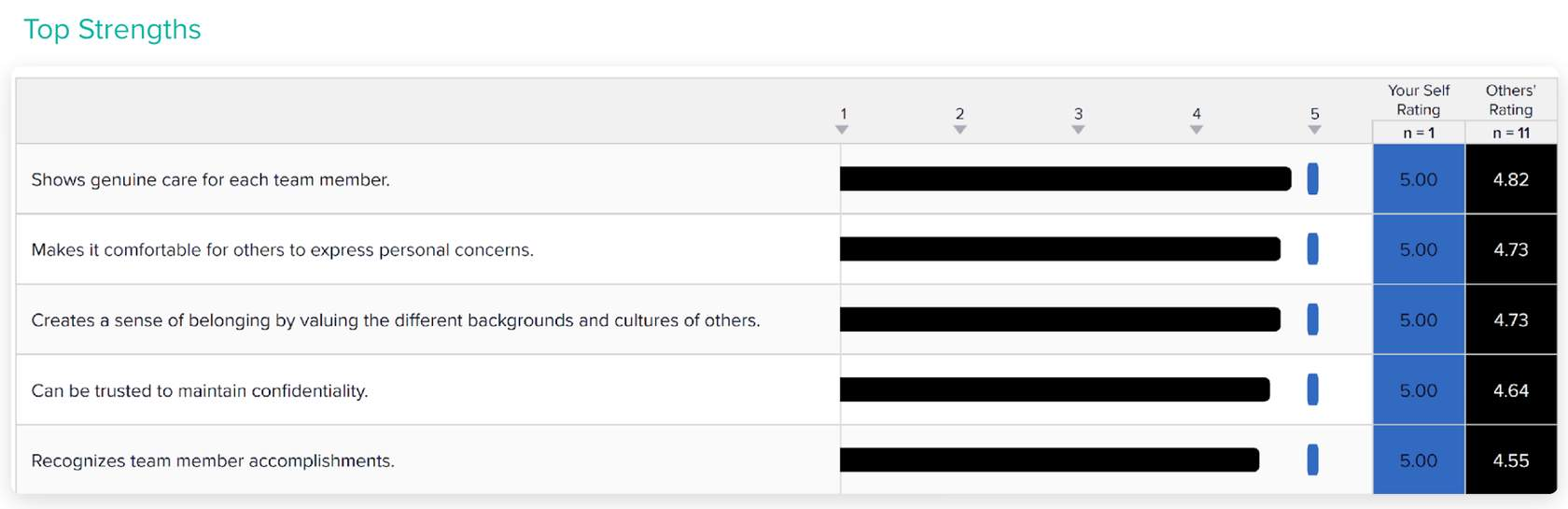
An example of top strengths.
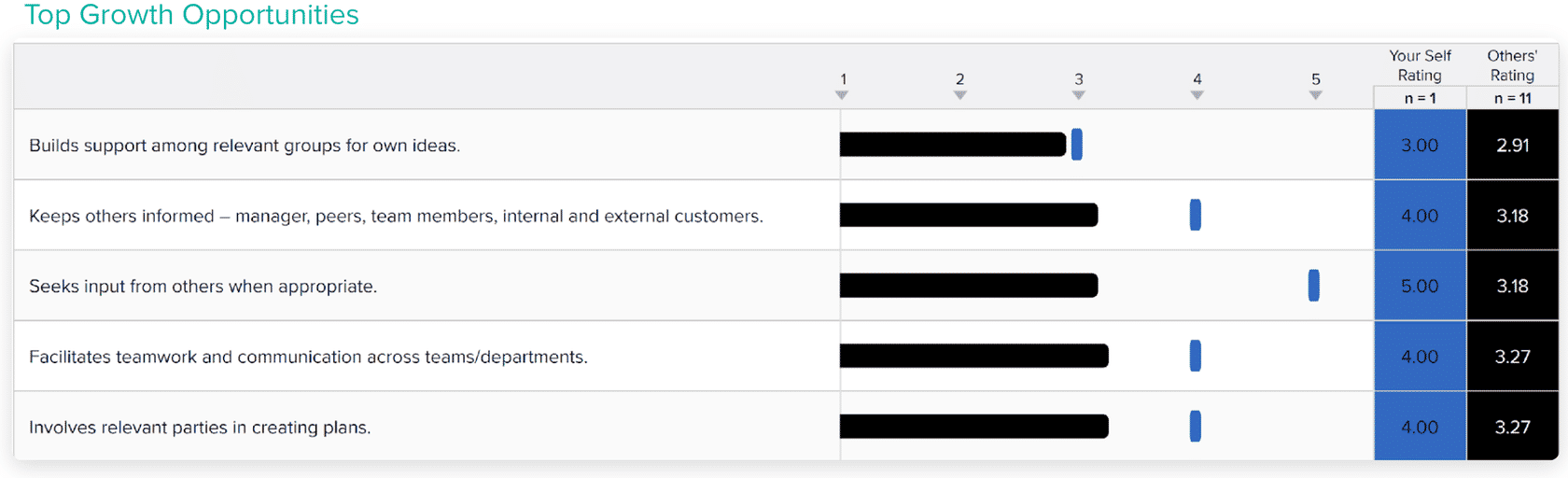
An example of top growth opportunities.
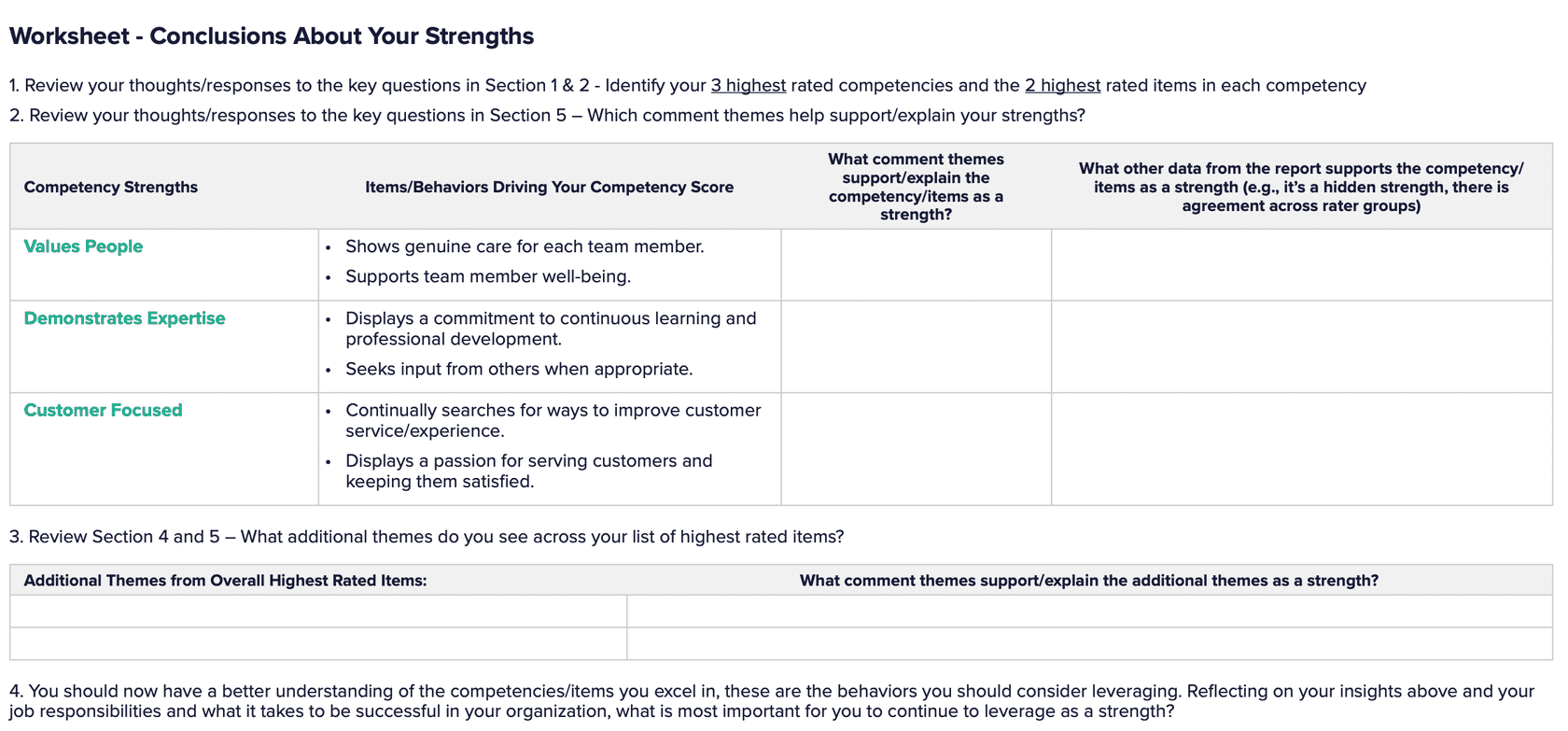
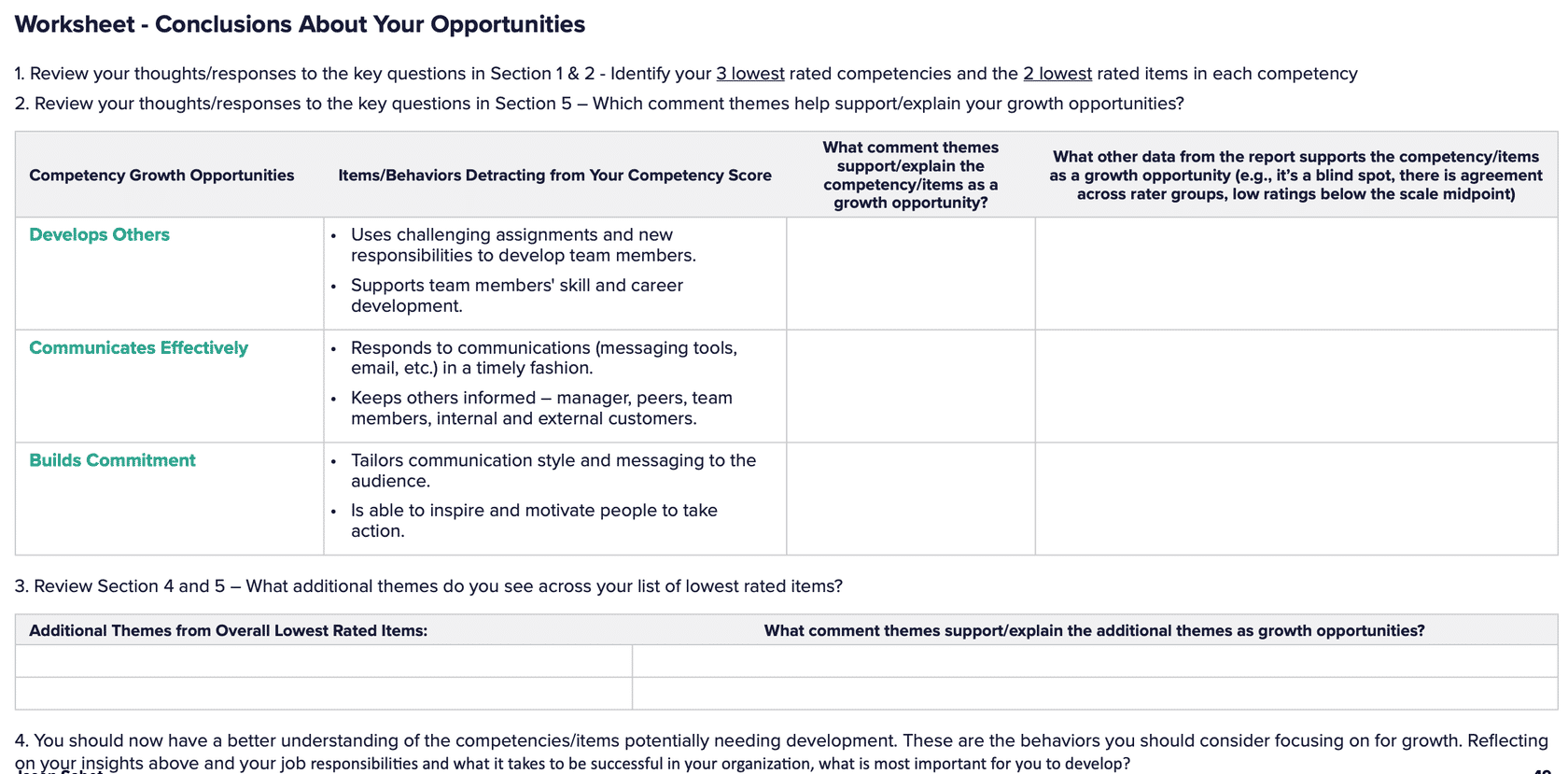
Step 6: review developing conclusions about your results, and follow the steps
This section of the 360 Feedback Report helps you pull your analysis together and reach conclusions about the participant's results.
Examples
Next: Section 3 covers the best strategies for conducting feedback debrief sessions
Was this article helpful?
That’s Great!
Thank you for your feedback
Sorry! We couldn't be helpful
Thank you for your feedback
Feedback sent
We appreciate your effort and will try to fix the article