In this update, you'll find high-level summaries of the latest platform features and enhancements. We've also included links to Knowledge Base articles for detailed instructions on how to make the most of these updates.
Unless otherwise noted, the following features support Perceptyx Platform 2.5 and are available based on permissions and subscriptions purchased.
Come explore the new features in our platform workspaces:
We'd love to hear your thoughts on these new features and improvements. Share your feedback with us!
| LISTEN |
Check back next month!
| ANALYZE |
More Accurate Sentiment Labels for Comments
Enhancement
Who: All reporting users | Requires: Platform | Availability: Automatically Enabled
Read your comment sentiment with more confidence. The model behind the Positive, Negative, and Neutral labels has been improved so the labels line up much more closely with how a person would actually read the comment. The biggest change is that far fewer comments get labeled Neutral by default, so praise and criticism show up where you'd expect them.
Highlights
- Fewer false neutrals: Comments with clear praise or criticism now land as Positive or Negative instead of defaulting to Neutral.
- A clearer Neutral: Neutral is reserved for comments that genuinely have no positive or negative leaning, such as facts, questions, and observations.
- Nothing new to learn: You get the same three labels in the same reporting views, so how you work with sentiment doesn't change.
- New surveys first: New surveys pick up the improved model automatically, currently live surveys (including always-on surveys) will follow with timing shared separately, and previously delivered reporting stays exactly as it was.
Learn More: Comments Report Knowledge Base article.
AI Insights Dashboard in Advanced Reporting
New Feature
Who: Event Administrators, Platform Administrators | Requires: Platform, Point-In-Time | Availability: Requires Subscription
Understand your survey results faster with plain language explanations of your data. A new AI Insights view in Advanced Reporting translates a defined set of survey results into a clear summary, using Perceptyx analytical and consulting best practices to highlight what the data is showing. You'll find AI Insights in the report's left navigation once a Point-in-Time survey has closed.
Highlights
- Executive summary: You get a written overview of the results as soon as the survey closes.
- Focused insight: Separate insights cover an Executive Summary, Strengths, Opportunities, Recommended Focus Areas, and Comment Insights.
- Links back to the detail: Every insight links to the related report, so you can see the data behind the story and understand how each insight is supported.
- Who can see it: Access is available to customers with a Narrative Analysis Agent or Comment Copilot subscription, and is currently open to administrators without report view restrictions.
Learn More: AI Insights Technical Overview Knowledge Base article.
| ACT |
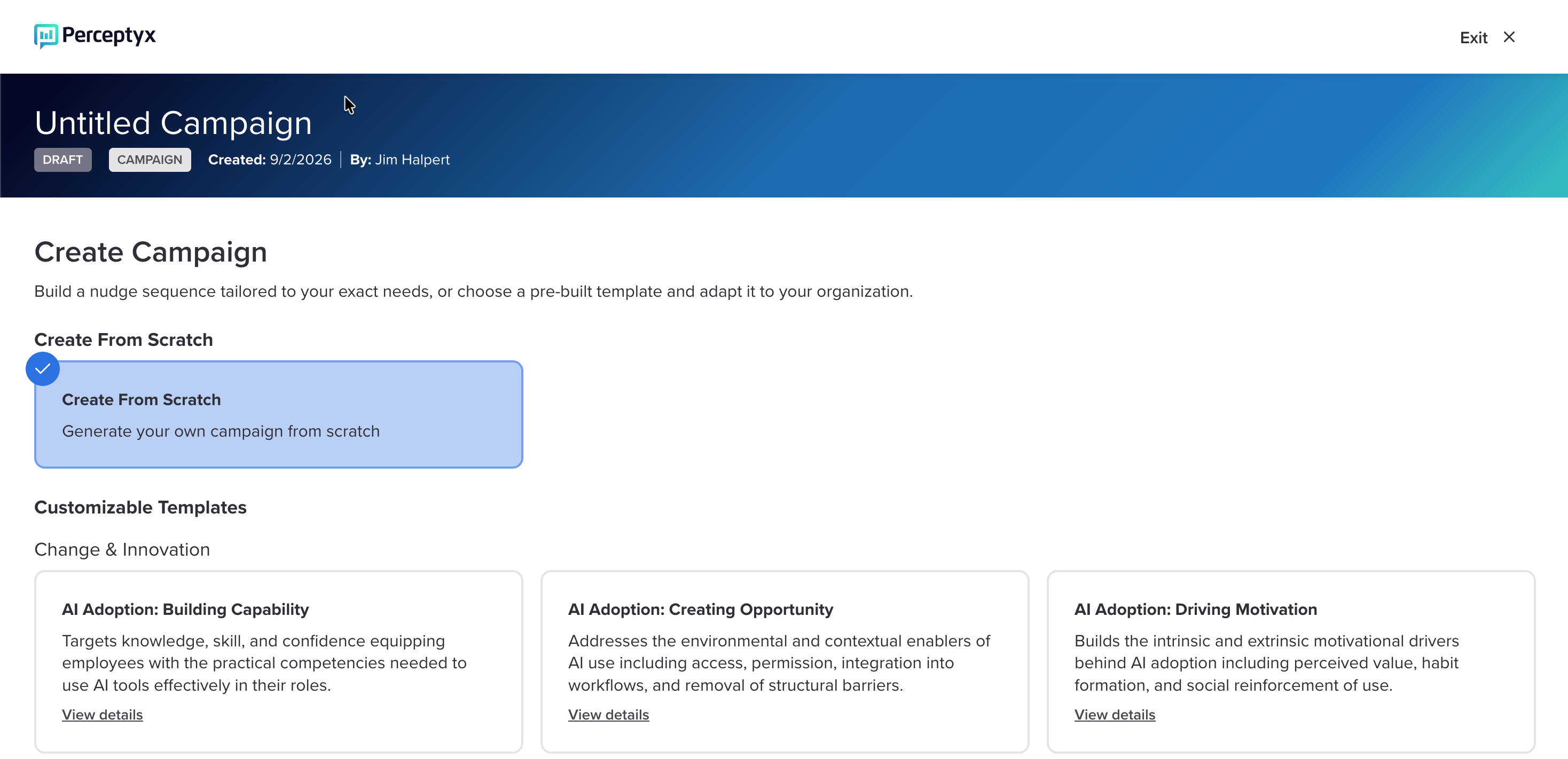
Campaigns for Targeted Nudges
New Feature
Who: Platform Administrators | Requires: Platform | Availability: Requires Subscription
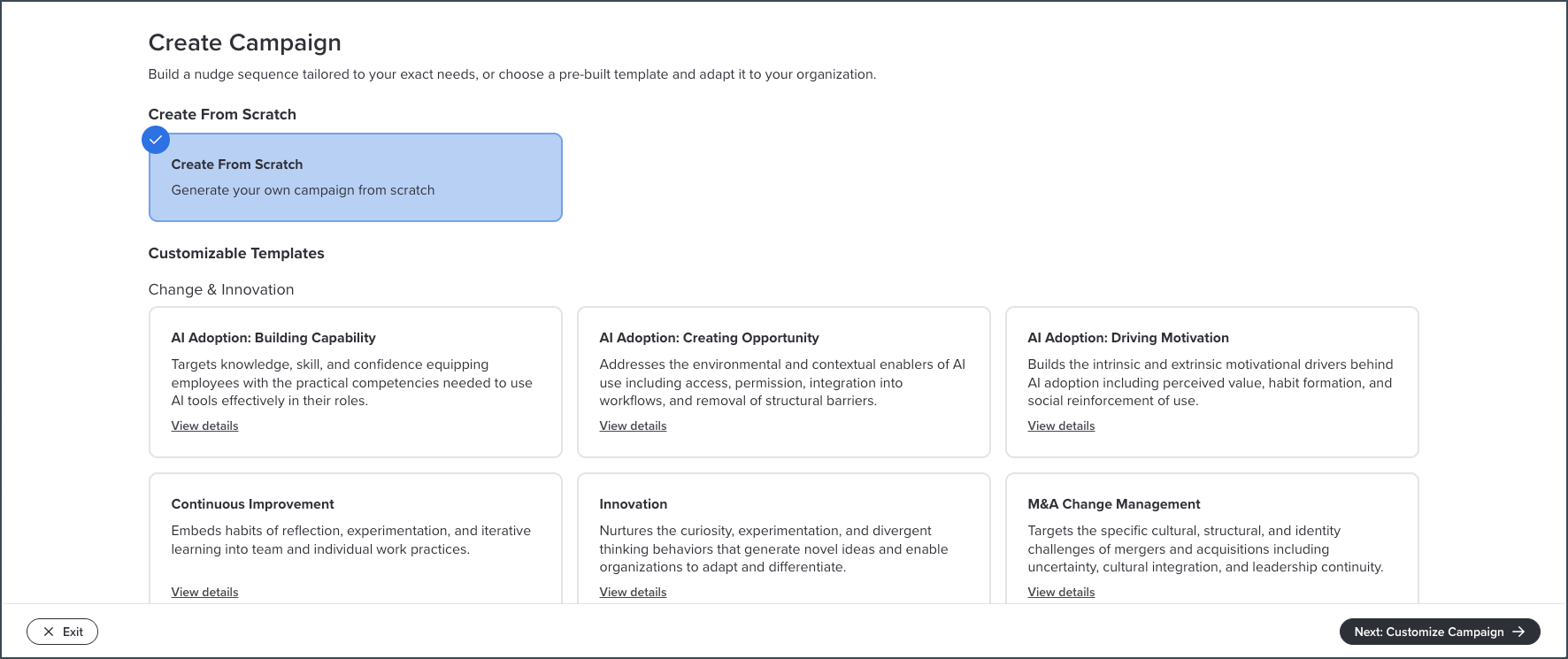
Reach any audience with nudges that support a specific business initiative. Campaigns let you deliver targeted Intelligent Nudges around things like leadership development, change management, well-being, or AI adoption, without waiting for a listening event. Campaigns replace Nudge Boosts, so instead of picking from a fixed set of boost topics you can build a campaign for whatever your organization is working on. You'll find Campaigns under the Advanced Tools menu on the Act page.
Highlights
- Launch on your schedule: Start a campaign right away, schedule it for a future date, or save it as a draft and come back to it.
- Choose your content: Build from Perceptyx research-backed behaviors, your own nudge sets from Nudge Generator, or a combination of both.
- Target the right people: Campaigns reach your whole organization by default, and demographic filters narrow them to a specific population.
- No extra nudge volume: Campaign nudges take the place of organization behavior nudges in the existing rotation, so employees don't get more messages than before.
Learn More: Create and Manage Campaigns Knowledge Base article.
| PLATFORM/HOME PAGE |
Check back next month!
Questions?
If you have questions about the Perceptyx Platform functionality or the latest updates, please reach out to the Customer Care Team or your Customer Success Manager.
Was this article helpful?
That’s Great!
Thank you for your feedback
Sorry! We couldn't be helpful
Thank you for your feedback
Feedback sent
We appreciate your effort and will try to fix the article