Custom Knowledge (if enabled) allows you to teach Activate about your organization so coaching conversations better reflect your company’s culture, language, and internal resources. By providing organizational context, coaching methodology, terminology, and resource recommendations, you help ensure a more relevant and aligned experience for employees using Activate.
Note: This feature must be enabled for your company by Perceptyx.
This article walks through:

Review Custom Knowledge Sections
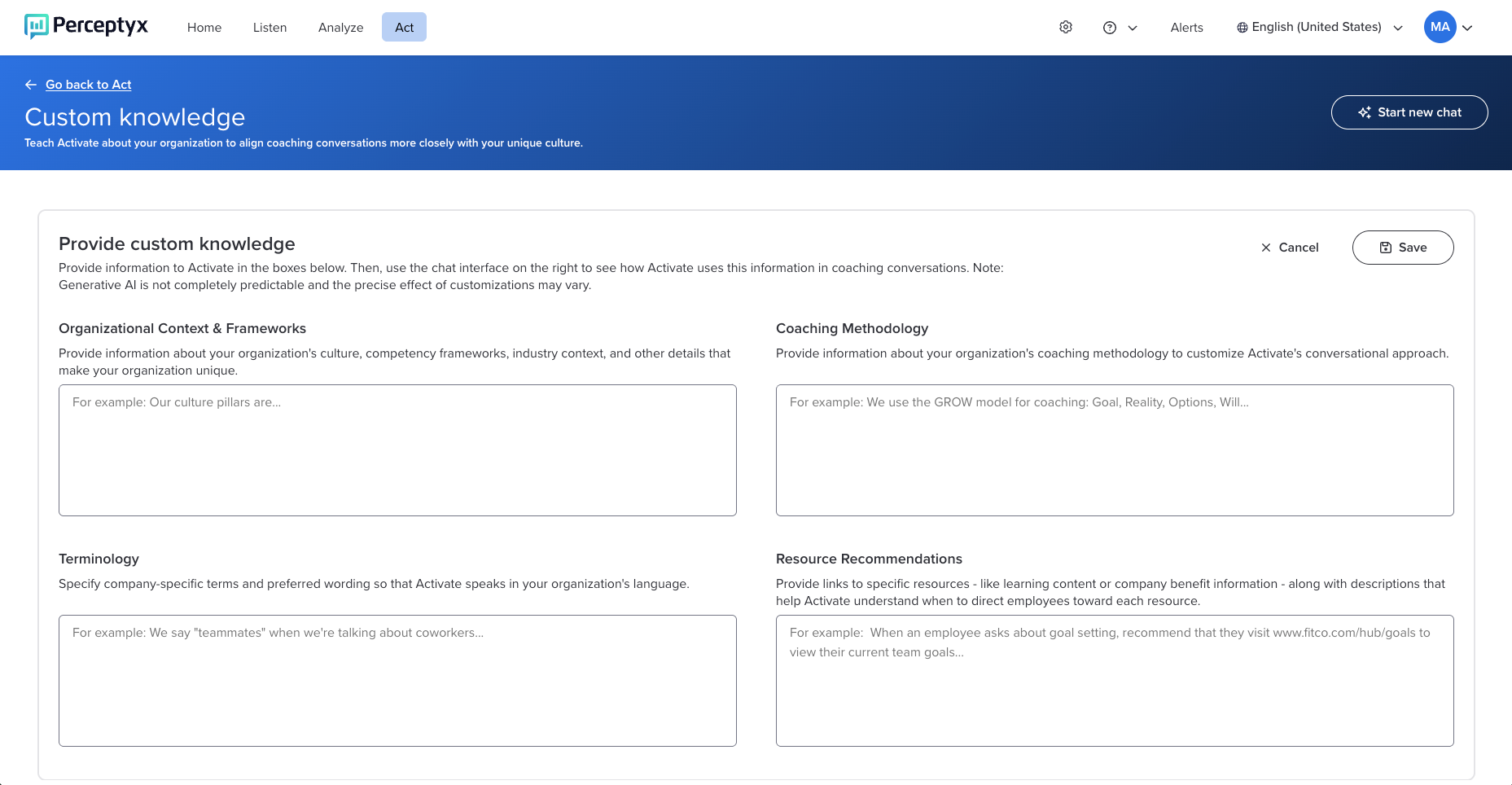
Custom Knowledge is organized into four sections. Each section plays a different role in shaping how Activate supports employees.
Organizational Context & Frameworks
Use this section to share high-level information about your organization, such as company values, competency frameworks, leadership models, and industry context. This information helps Activate align coaching conversations with how your organization defines success.
Coaching Methodology
Use this section to describe your organization’s coaching approach, including tone, style, and internal philosophy. This helps ensure Activate’s guidance reflects how coaching is practiced internally.
Terminology
Use this section to define company-specific language and preferred phrasing so conversations feel familiar to employees (for example, associates instead of employees, or People Leader instead of Manager).
Resource Recommendations
Use this section to provide links to internal programs, L&D tools, or HR resources, along with brief descriptions that explain when Activate should recommend them.

Add or Update Custom Knowledge
Use the following steps to enter or edit information in any Custom Knowledge section. Repeat the steps as needed for each section.
Log in to the Perceptyx Platform.
Navigate to the Act page.
Display the Advanced Tools dropdown, then select Custom Knowledge to display the Custom Knowledge screen.
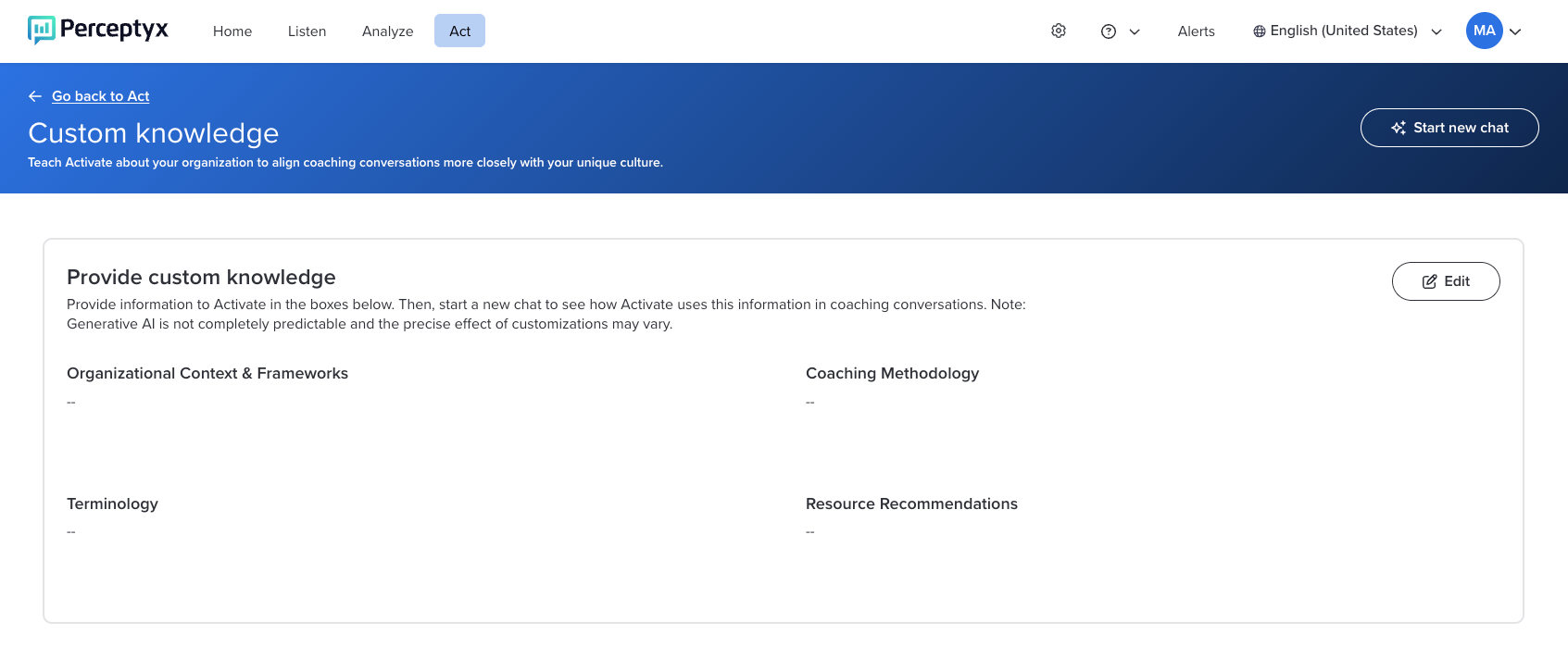
Click Edit to open the boxes for all the sections.
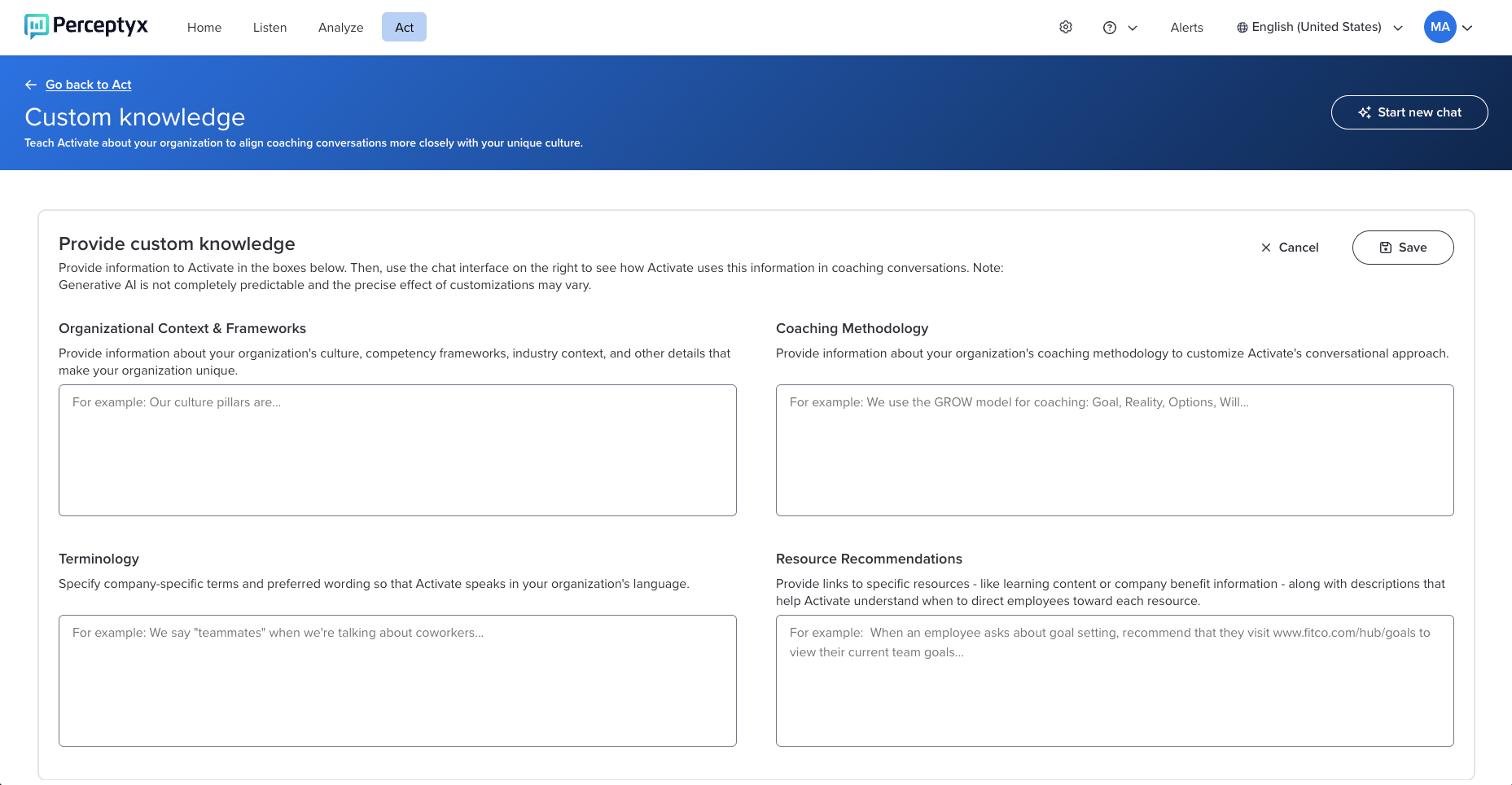
Enter or paste information into the relevant section(s).
Click Save.

Maintain Custom Knowledge Over Time
Custom Knowledge can be updated at any time.
You can return to any section to revise or add additional information.
Updates help ensure Activate continues to reflect your organization as it evolves.
Was this article helpful?
That’s Great!
Thank you for your feedback
Sorry! We couldn't be helpful
Thank you for your feedback
Feedback sent
We appreciate your effort and will try to fix the article