Develop
People finish a course, feel good about it, then get pulled back into the day job and the lessons fade. Nudges are how your course keeps showing up after it ends.
Rather watch than read? The video above walks through the Nudges screen.
Why a course needs a follow-up
A course is a moment. Work is every day. However good the conversation was, a single session competes with everything that lands in someone's inbox the following Monday, and it usually loses.
A nudge is a short prompt that arrives after the course is done and asks the learner to actually do something small with what they learned. Not a summary, and not a quiz. One concrete action, sized to fit into a normal week. Develop writes them from your course content, so they reinforce the specific material you taught rather than generic advice about learning.
They also turn up where your people already are. Nudges arrive by email, in Slack, or in Microsoft Teams, so nobody has to remember to log back in to go looking for them. That is most of why they work: the prompt shows up in the middle of the work it is about.
The schedule
Once a participant completes the course, they get one nudge per week for three weeks. That is the whole run. It is spaced deliberately: weekly is often enough to keep the material live, and infrequent enough that people do not start ignoring it.
Nudges need an Activate subscription
Everything below assumes your organization has Activate. Without it, nudges are not available and nothing on this page will apply. If you are not sure either way, your Perceptyx contact can tell you where you stand.
Find the Nudges screen
- Go to the Develop page and click Manage Course on your course.
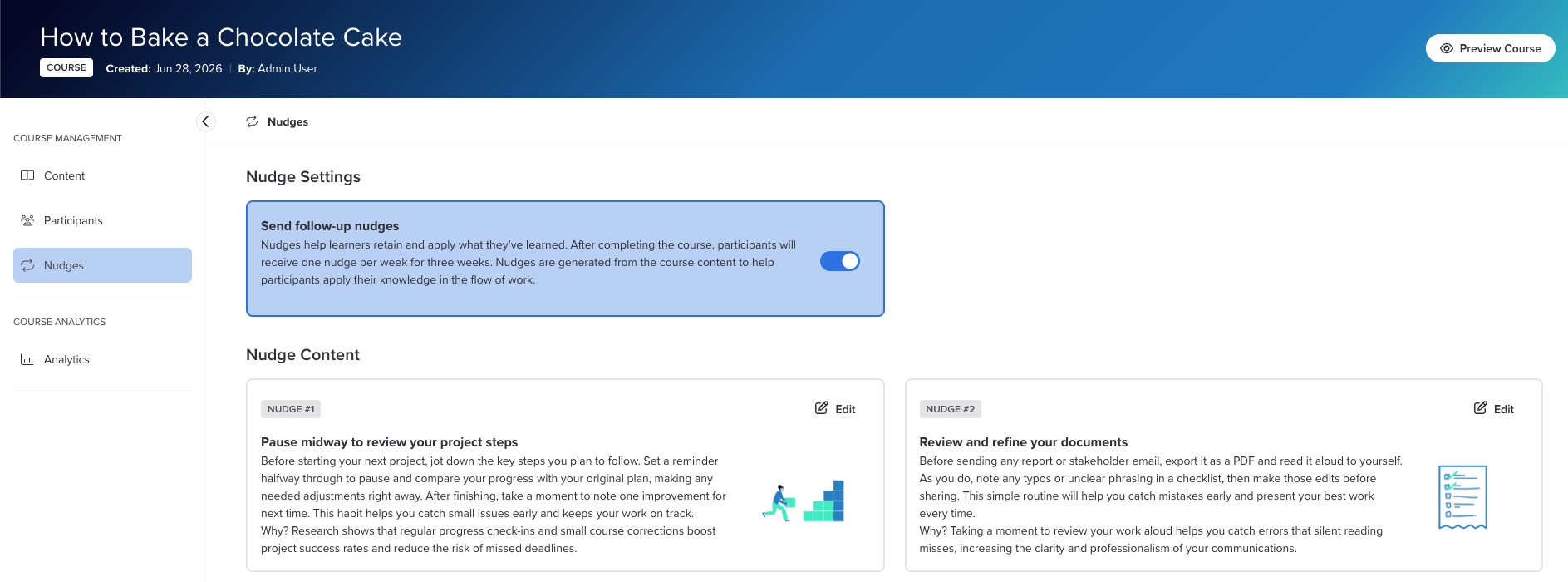
- Click Nudges in the left panel, under Course Management. It sits just below Participants.
The screen has two parts. Nudge Settings at the top controls whether nudges go out at all, and Nudge Content below it shows you the three that Develop wrote for this course.
Turn them on or off
The Send follow-up nudges toggle is the only switch here, and it covers the whole course. Leave it on and every participant who finishes gets the three-week run. Switch it off and nobody gets anything, though the nudges stay written and waiting in case you change your mind.
Worth checking this before you invite anyone, alongside your content review, so you are not deciding it after the first person has already finished.
Read what Develop wrote
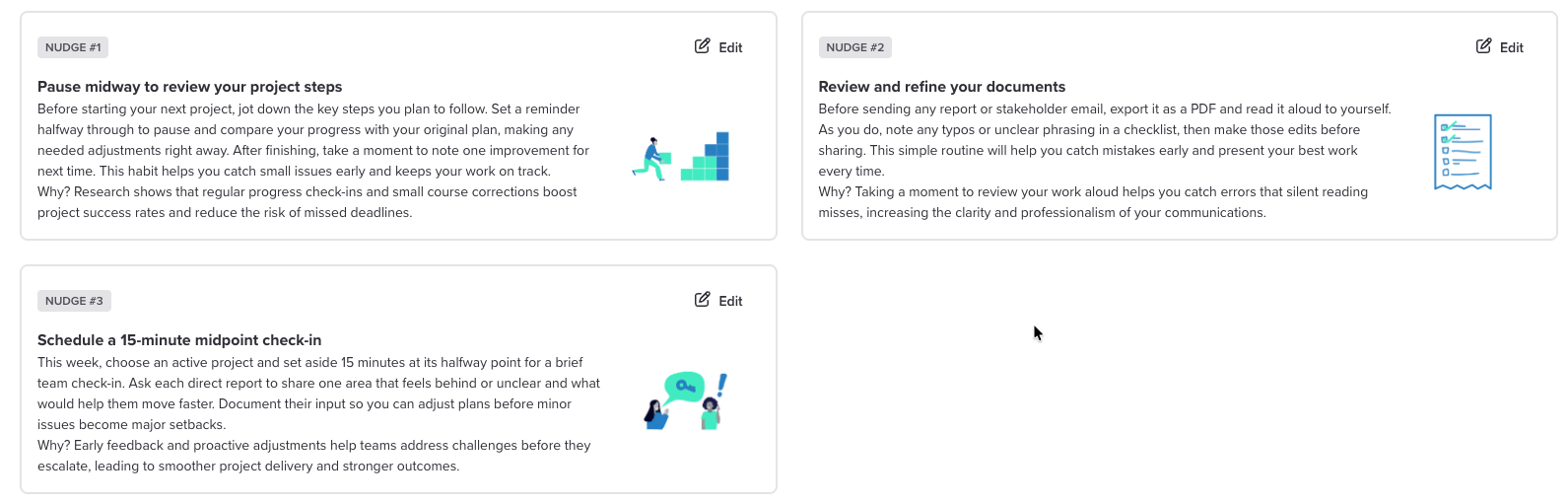
Under Nudge Content you get three cards, labelled Nudge #1 through #3 in the order they will be sent. Each one is built from three pieces:
Header The one-line instruction, written as something to do rather than something to know. |
Body The specifics. What to try, when to try it, and what to do with the result. |
Rationale The reason the habit is worth the effort. This is the part that stops a nudge reading like a chore, so it is worth keeping even if you rewrite everything else. |
Read all three before you invite anyone. They are the last thing your learners will hear from the course, and unlike the course itself you can see exactly what they say.
Edit a nudge
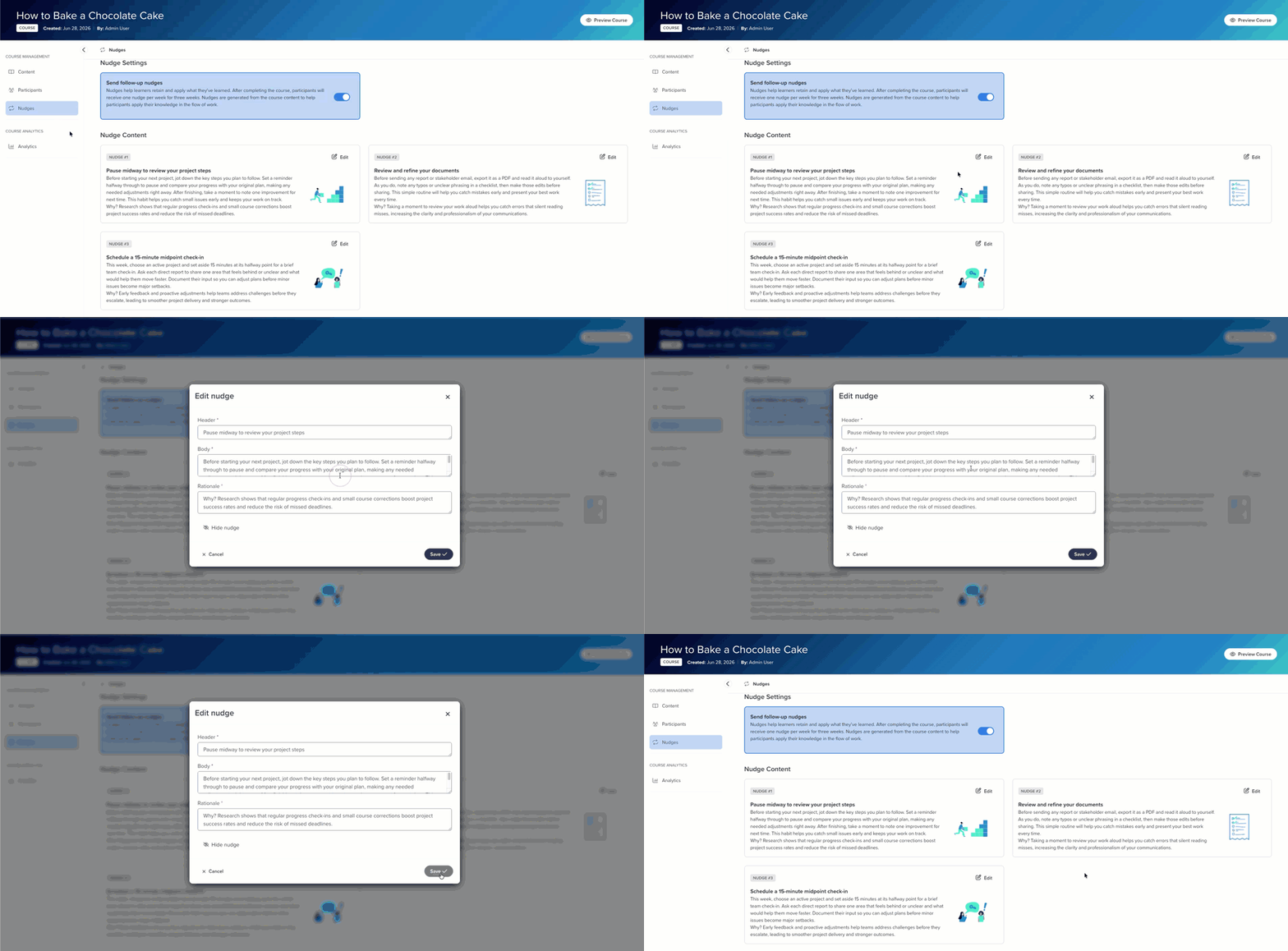
Usually the fix is small. Swapping in your own team's language, naming the actual system people use, or pointing at a real process instead of a generic one.
- Click Edit on the nudge card. The Edit nudge dialog opens.
- Update the Header, Body, or Rationale. All three are required, so you can reword them but you cannot leave one empty.
- Click Save, or Cancel to back out without changing anything.
Keep the ask small
If you rewrite a nudge, resist making it bigger. A nudge someone can do in the next ten minutes gets done. A nudge that needs an hour and a free calendar gets archived, and so does the next one you send.
Hide one you do not want
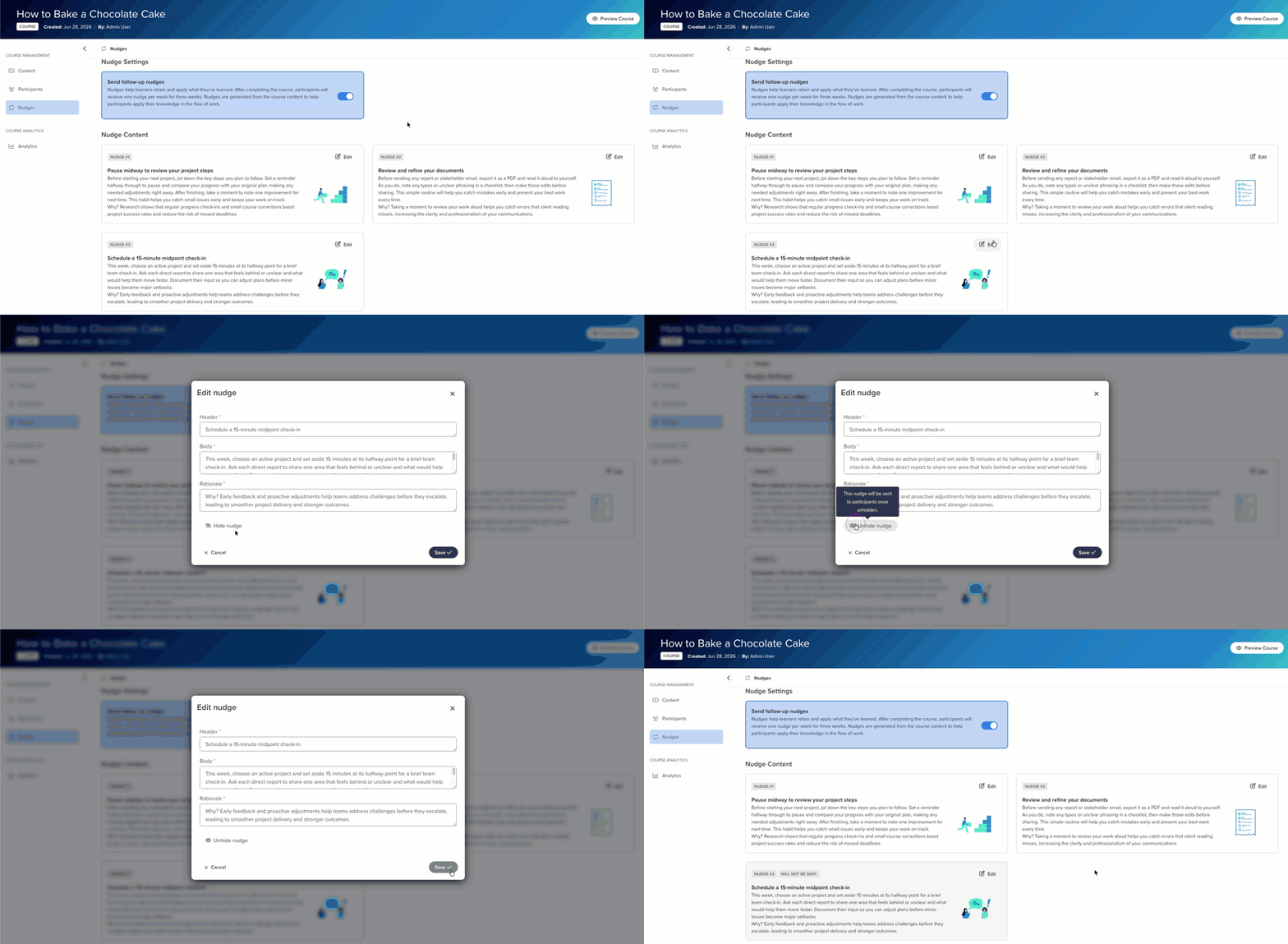
If a nudge does not fit and you would rather drop it than rewrite it, click Edit on the card and then Hide nudge. Use it when a nudge points at something that does not apply to your people, not just because you would have phrased it differently.
Was this article helpful?
That’s Great!
Thank you for your feedback
Sorry! We couldn't be helpful
Thank you for your feedback
Feedback sent
We appreciate your effort and will try to fix the article