At Perceptyx, we are always working to improve our products and ensure accuracy in our AI features. However, artificial intelligence may sometimes produce inaccurate, incomplete, or outdated results. We recommend reviewing any AI output for accuracy and suitability before use. Our AI is intended to assist, not replace, human review or professional advice.
On-demand conversational coaching is a key feature of Activate. When enabled, it allows users to interact with a chat-based interface that provides on-demand coaching based on behavioral science, helping each employee succeed by building the habits that drive your company’s success. Trained on 2,500 science-backed nudges, it provides actionable, proven guidance to create measurable behavioral change.
On-demand coaching supports your organization’s values, goals, and competencies, while also considering each employee’s individual development needs. It proactively engages employees within the flow of work, drawing on nudge theory and behavioral science to help them build new habits in their day-to-day work.
Note: While we don’t publish a formal list of supported languages, on-demand coaching leverages OpenAI’s generative AI technology, and its language capabilities are generally consistent with those supported by ChatGPT.
You can use on-demand coaching for a wide range of scenarios, such as:
Navigating workplace challenges
Preparing for conversations or meetings
Drafting messages to put advice into action
Brainstorming action plans
Important Notes about On-Demand Coaching:
A subscription to Activate is required.
For privacy reasons, on-demand coaching does not connect directly to your organization’s listening data.
On-demand coaching focuses on workplace coaching. Inquiries unrelated to workplace coaching are redirected to defined parameters.
Your organization may choose to enable coaching for specific users.
For more information, see the On-Demand Coaching: Governance, Security, and Data Protection Overview article.
This article walks through:
- Access On-Demand Coaching
- Interact with On-Demand Coaching
- View On-Demand Coaching Usage Metrics (Admins Only)

Access On-Demand Coaching
You can initiate a coaching session at any time. However, Activate can also proactively engage you at key moments (e.g., time to create an action plan) within your flow of work. You can access on-demand coaching from any of the following entry points:
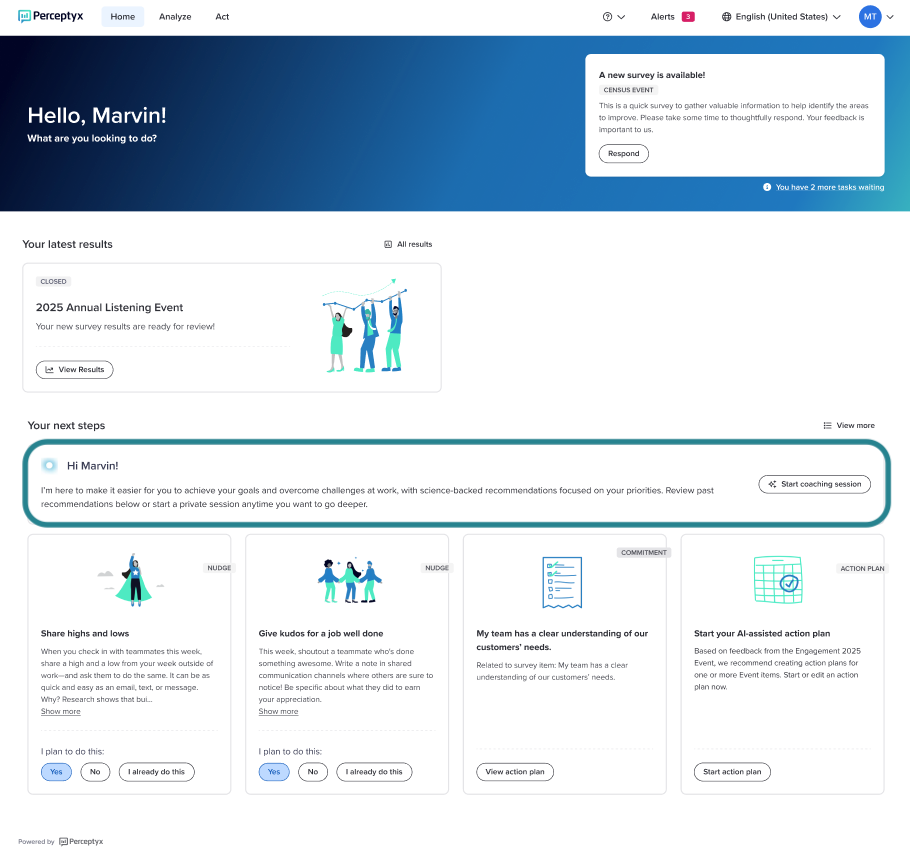
The Your Next Steps section of the Home page (if applicable for your user role)
The Action Feed section of the Act page (via the banner at the top or within an Intelligent Nudge)
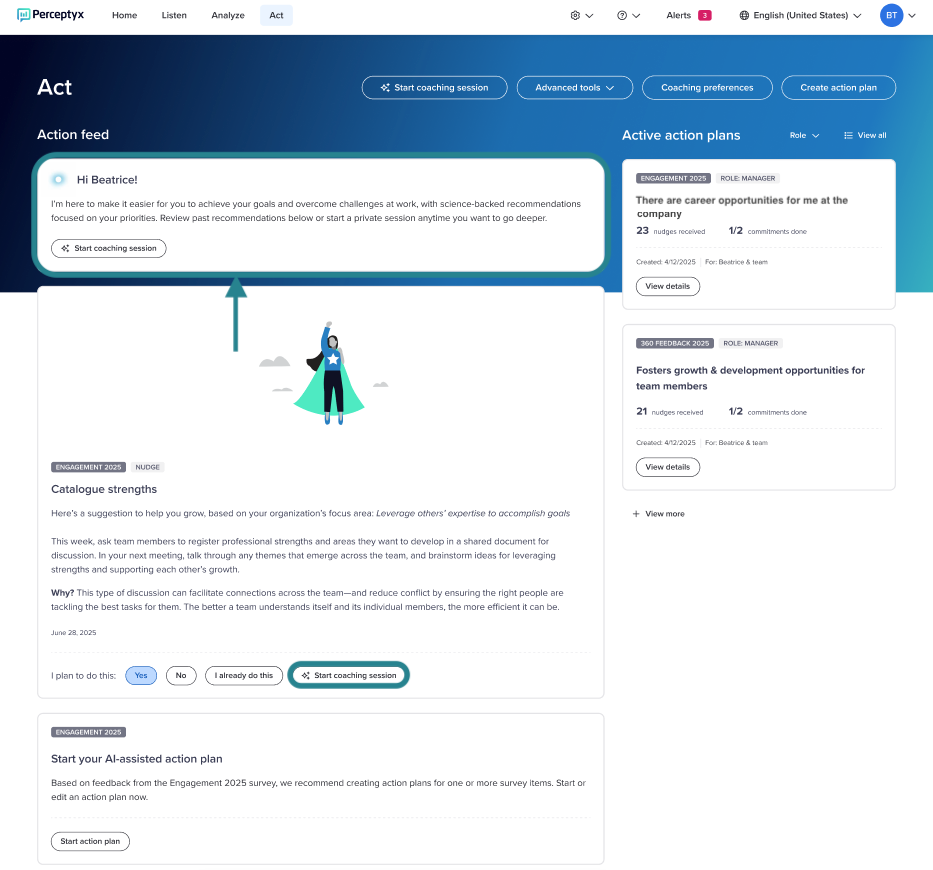
The Start Coaching Session button on the Act page

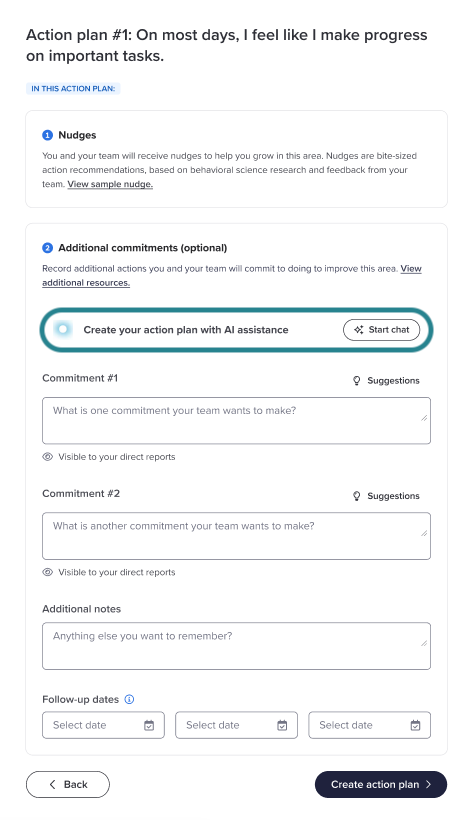
An action plan workflow
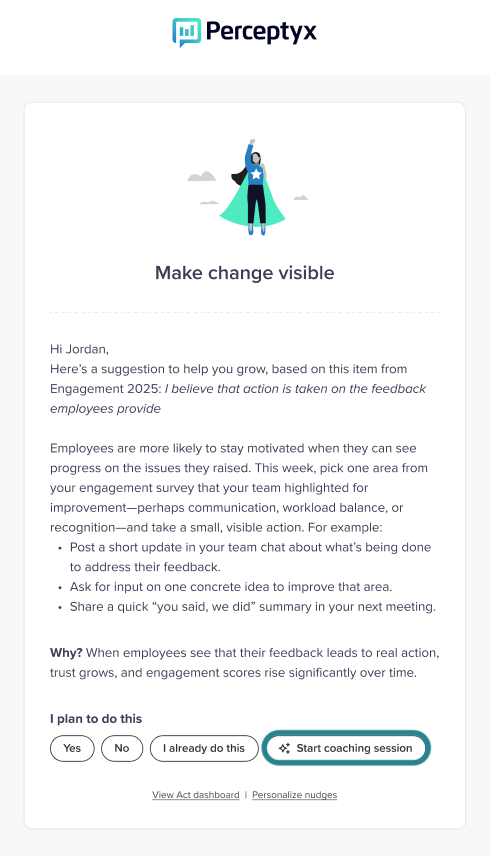
Intelligent Nudges sent via email
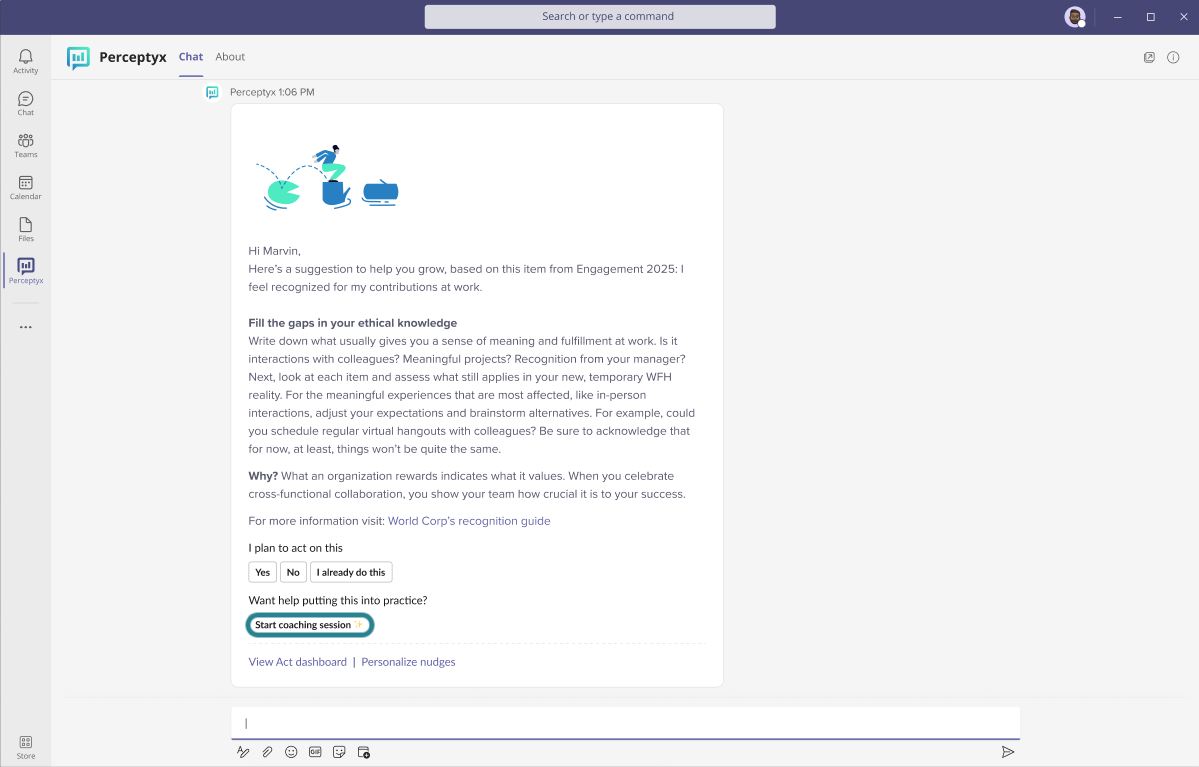
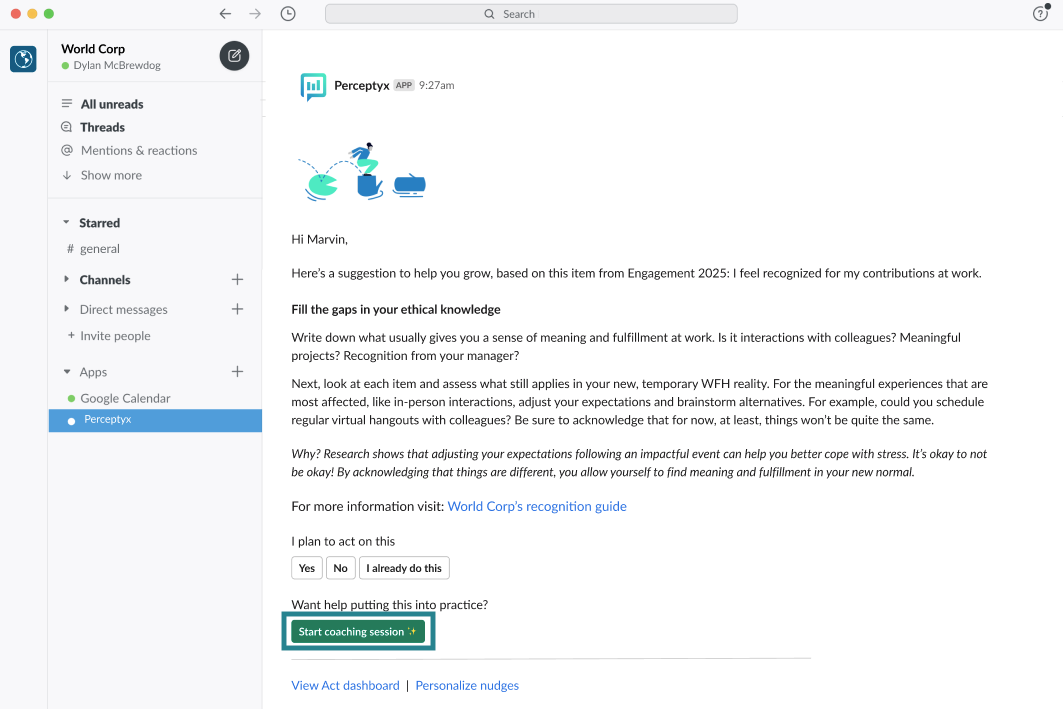
Intelligent Nudges sent via Slack or MS Teams

Interact with On-Demand Coaching
Clicking the Start Chat button in any of the platform entry points or the Start Coaching Session button in email, Action Feed, Teams nudges, Slack nudges, or the Activity Area of the Act page launches a coaching session.
Launch a Coaching Session
You can initiate a coaching session at any time. A simple interface makes it easy for you to ask questions or use guided prompts.
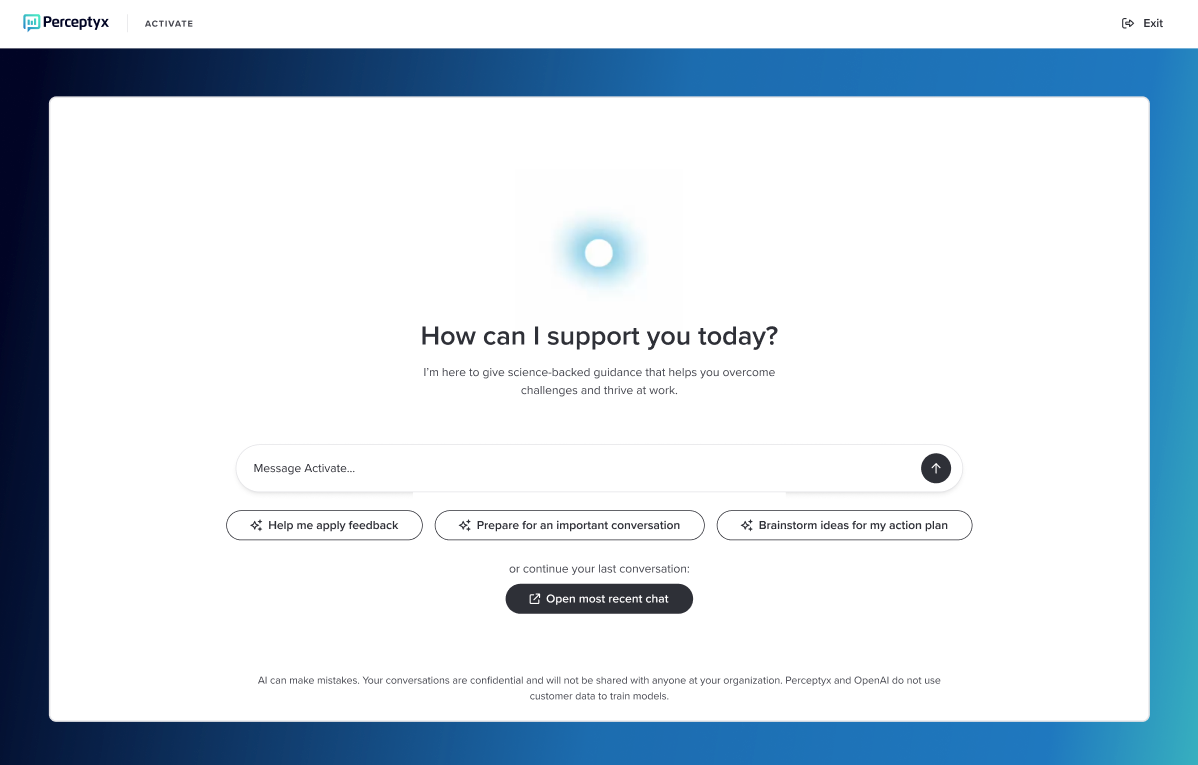
You can type a question into the Message Activate box and click the arrow icon or click one of the predefined prompts to help you apply feedback, prepare for a challenging conversation, or brainstorm action planning ideas.
Coaching sessions are designed to be highly conversational. You can ask questions, seek guidance on specific situations, or even ask for help drafting messages or other content. Activate can offer clarifying questions, suggests a course of action, and even provide tailored questions to use during a meeting.
Log in to the Perceptyx Platform.
Navigate to the on-demand coaching entry point that is appropriate for your current need (see the Access On-Demand Coaching section above).
Click Start Chat or Start Coaching Session, as applicable.
A chat session opens.
Type a question or request in the Message Activate box and click the arrow icon (or press Enter), or click a guided prompt and follow the onscreen content.
Activate responds by asking a clarifying question, if necessary, or providing suggestions.
Ask for additional information or guidance as needed.
Optionally rate the usefulness of a response by clicking the Thumbs Up or Thumbs Down icon.
Rating response usefulness helps Activate learn what works for you and tailor future sessions accordingly.
Engage On-Demand Coaching Directly in the Perceptyx Teams App
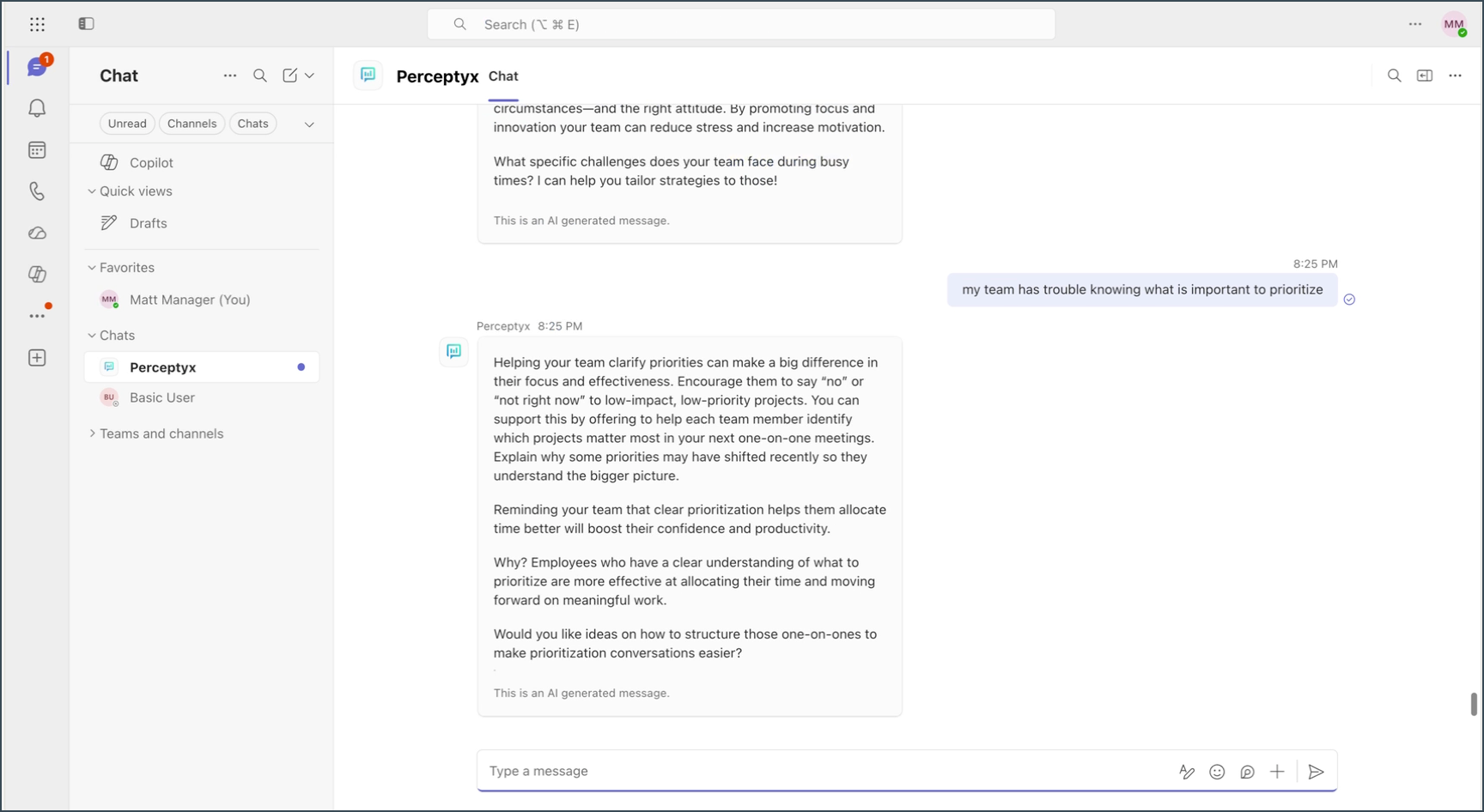
In addition to engaging with coaching from a nudge, you can start a coaching session directly from the Perceptyx Teams app chat, without opening a nudge first.
This access provides the same coaching experience available in the Perceptyx platform: the same agent, same behavior, and same type of responses, surfaced as a chat inside Teams in your flow of work. Responses are clearly labeled as AI-generated.
Open the Perceptyx app in Microsoft Teams.
Type your question or request in the message bar, then press Enter.
Activate responds with personalized coaching.
Note: If you engage with coaching from a nudge in Teams, that session will open in a separate session window, as described above.
Engage AI Coaching from Slack
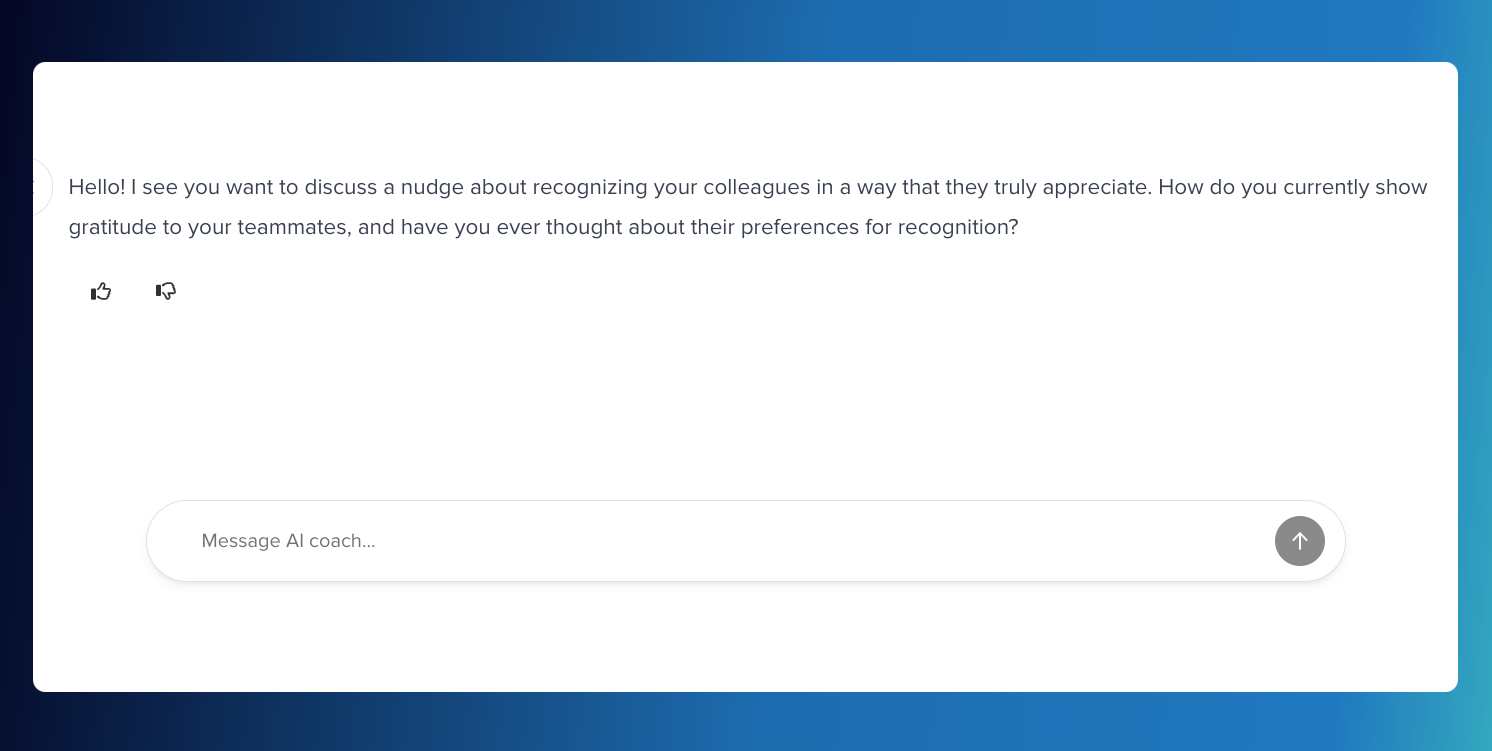
When you receive a nudge in Slack, it includes a Start Coaching Session button. Clicking this button opens a browser-based session, where you can ask questions to help put the nudge into practice and get personalized coaching support.
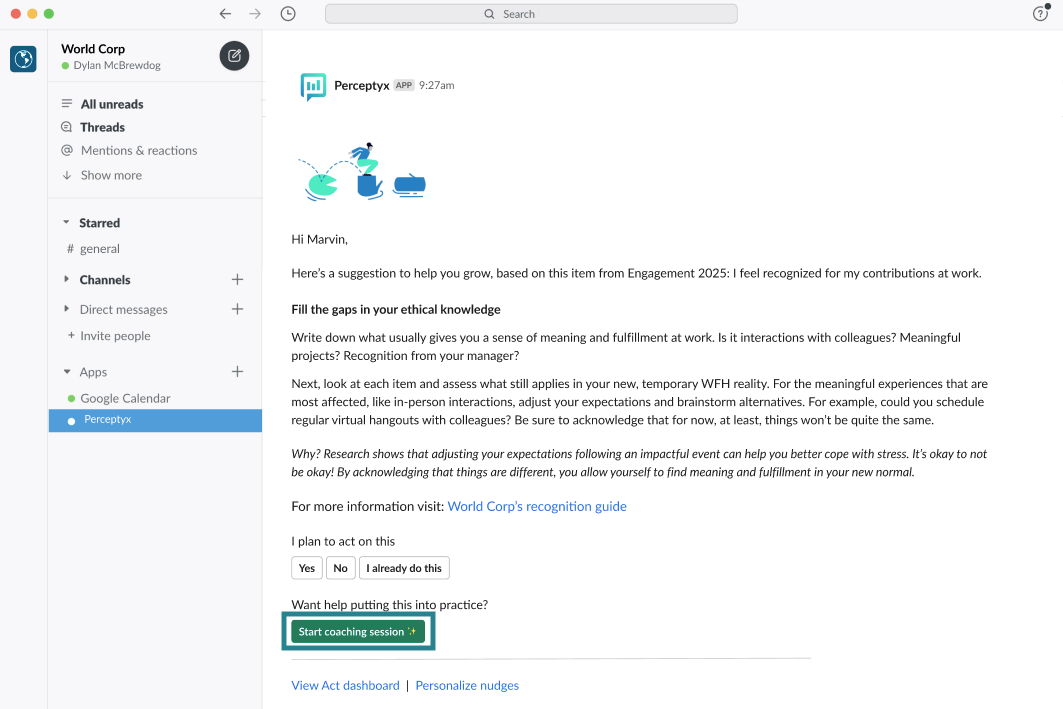
Navigate to a nudge in Slack.
Click the Start Coaching Session button.
A coaching window opens.
Ask for additional information or guidance as needed.

View On-Demand Coaching Usage Metrics (Admins Only)
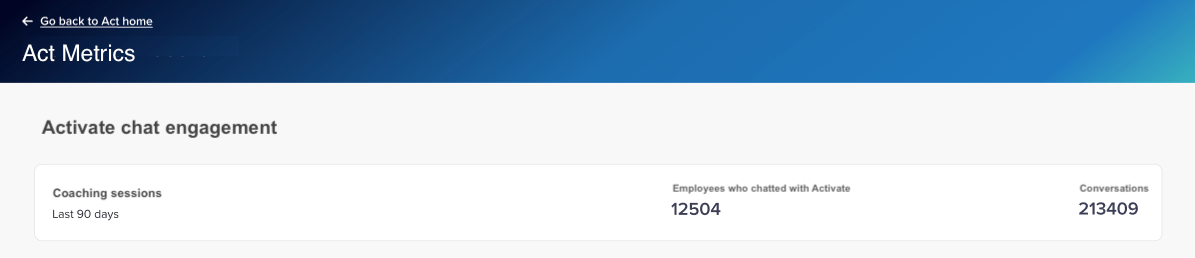
If you are an Admin user, you can assess how employees are engaging with on-demand coaching (chat engagement). The Act Metrics Dashboard displays aggregate data about how many employees engaged with coaching over the last 90 days and how many conversations were initiated.
Log in to the Perceptyx Platform.
Navigate to the Act page.
In the activity area (top right), click Advanced Tools, then select Act Metrics.
Coaching engagement metrics display at the top of the dashboard.
Was this article helpful?
That’s Great!
Thank you for your feedback
Sorry! We couldn't be helpful
Thank you for your feedback
Feedback sent
We appreciate your effort and will try to fix the article